
VPS Hosting Singapore: The Complete 2026 Guide for Businesses
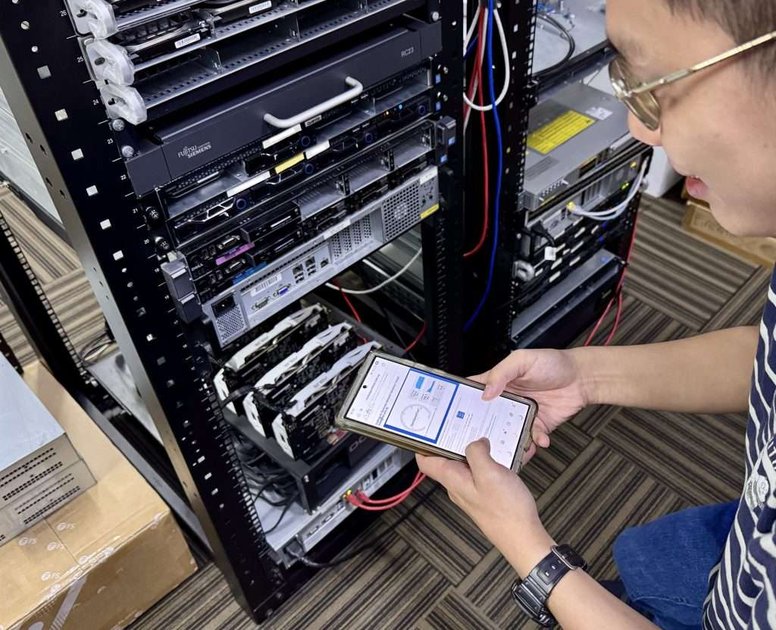
Looking for reliable VPS hosting in Singapore? You're in the right place.
Singapore has become Asia's premier digital hub, and choosing the right VPS provider here can make or break your online business. Whether you're running an e-commerce store, SaaS application, or corporate website, this guide covers everything you need to know about VPS hosting in Singapore.
Why Choose VPS Hosting in Singapore?
Singapore offers unique advantages for VPS hosting that other locations simply can't match.
Strategic Location for Asia-Pacific
Singapore sits at the crossroads of major internet routes connecting:
- Southeast Asia: Malaysia, Indonesia, Thailand, Vietnam, Philippines
- East Asia: Hong Kong, Taiwan, Japan, South Korea, China
- South Asia: India, Bangladesh, Sri Lanka
- Oceania: Australia, New Zealand
This strategic position means lower latency for users across the entire Asia-Pacific region. A website hosted in Singapore typically loads 40-60% faster for regional visitors compared to hosting in the US or Europe.
World-Class Infrastructure
Singapore boasts some of the world's most advanced data centre infrastructure:
- Tier III and Tier IV certified facilities
- 99.99% uptime guarantees backed by redundant power and cooling
- Direct peering with major internet exchanges (Equinix, Digital Realty)
- Multiple submarine cable connections ensuring network resilience
Business-Friendly Environment
Singapore's regulatory environment supports digital businesses:
- Strong data protection laws (PDPA) aligned with international standards
- No data localisation requirements for most industries
- Political stability ensuring long-term operational security
- English-speaking technical support readily available
What Is VPS Hosting? A Quick Overview
A Virtual Private Server (VPS) gives you dedicated resources on a shared physical server. Think of it as owning a private apartment in a larger building—you have your own space, your own keys, and your neighbours can't affect your living conditions.
VPS vs Other Hosting Types
| Feature | Shared Hosting | VPS Hosting | Dedicated Server |
|---|---|---|---|
| Price | $3-15/month | $20-100/month | $100-500+/month |
| Resources | Shared | Guaranteed | Fully dedicated |
| Control | Limited | Full root access | Complete |
| Performance | Variable | Consistent | Maximum |
| Scalability | Limited | Easy | Hardware-limited |
| Best For | Small sites | Growing businesses | Enterprise |
When You Need VPS Hosting
You should consider VPS hosting in Singapore when:
- Your website receives 5,000+ monthly visitors
- You need to install custom software or configurations
- Your current hosting causes slow page loads or downtime
- You're running an e-commerce store with payment processing
- You need dedicated IP addresses for email deliverability
- Your business requires compliance with data protection regulations
Key Features to Look for in Singapore VPS Providers
Not all VPS hosting is created equal. Here's what separates good providers from great ones.
1. Server Location and Network Quality
The best Singapore VPS providers offer:
- Local data centres in Singapore (not just "Asia-Pacific")
- Low latency to major cities (< 50ms to Hong Kong, < 100ms to Sydney)
- High bandwidth allocations (1Gbps+ ports)
- Unmetered or generous traffic allowances
Pro Tip: Ask providers for their network test IP. Run ping tests from your target audience locations before committing.
2. Hardware Specifications
Modern VPS hosting should include:
- NVMe SSD storage: 5-10x faster than traditional SSDs
- DDR4 or DDR5 RAM: Faster memory for better performance
- Latest-generation CPUs: AMD EPYC or Intel Xeon Scalable
- Hardware virtualisation: KVM or VMware (avoid OpenVZ for production)
3. Operating System Options
Quality providers offer flexibility:
- Linux distributions: Ubuntu, CentOS, Debian, AlmaLinux, Rocky Linux
- Windows Server: 2019, 2022 with proper licensing
- Custom ISO uploads: For specialised requirements
4. Management and Support
Consider your technical capabilities:
- Managed VPS: Provider handles updates, security, monitoring
- Unmanaged VPS: You're responsible for everything
- Semi-managed: Provider handles server-level tasks, you manage applications
For most businesses, managed VPS hosting offers the best value—you focus on your business while experts handle the infrastructure.
5. Backup and Disaster Recovery
Essential features include:
- Automated daily backups with retention policies
- Snapshot capabilities for point-in-time recovery
- Off-site backup storage for disaster recovery
- Easy restore options through control panel
6. Security Features
Look for providers offering:
- DDoS protection included or available
- Firewall management tools
- SSL certificate support (free Let's Encrypt or paid options)
- Two-factor authentication for control panel access
VPS Hosting Plans: What to Expect in Singapore
Here's what typical Singapore VPS plans look like in 2026:
Entry-Level VPS ($20-40/month)
Specifications: - 1-2 vCPU cores - 2-4 GB RAM - 40-80 GB NVMe SSD - 1-2 TB bandwidth
Best For: - Small business websites - Development and staging environments - Personal projects and blogs - Low-traffic WordPress sites
Mid-Range VPS ($50-100/month)
Specifications: - 4-6 vCPU cores - 8-16 GB RAM - 100-200 GB NVMe SSD - 3-5 TB bandwidth
Best For: - E-commerce stores (WooCommerce, Magento) - Business applications and CRM systems - Medium-traffic websites (10,000+ daily visitors) - Multiple WordPress sites
High-Performance VPS ($100-200/month)
Specifications: - 8-16 vCPU cores - 32-64 GB RAM - 300-500 GB NVMe SSD - 10+ TB bandwidth
Best For: - High-traffic applications - SaaS platforms - Database-intensive workloads - Video streaming and media sites
How to Choose the Right Singapore VPS Provider
Follow this evaluation process to find your ideal provider.
Step 1: Define Your Requirements
Answer these questions:
- What's your expected traffic? (visitors/month)
- What applications will you run? (WordPress, custom app, etc.)
- Do you need Windows or Linux?
- What's your technical skill level?
- What's your monthly budget?
Step 2: Evaluate Provider Reputation
Check these sources:
- Independent reviews on Trustpilot, G2, or Google
- Uptime monitoring reports (ask for historical data)
- Community forums and Reddit discussions
- Case studies from similar businesses
Step 3: Test Before Committing
Most reputable providers offer:
- Money-back guarantees (7-30 days)
- Free trials or demo environments
- Network test IPs for latency testing
Use these to verify performance before long-term commitment.
Step 4: Consider Long-Term Scalability
Ask providers about:
- Upgrade paths to larger plans
- Downtime during upgrades (should be minimal)
- Resource scaling options (CPU, RAM, storage)
- Migration assistance if you outgrow VPS
Setting Up Your Singapore VPS: Step-by-Step
Once you've chosen a provider, here's how to get started.
Initial Server Setup
- Choose your operating system (Ubuntu 22.04 LTS recommended for most)
- Set a strong root password (20+ characters, mixed case, numbers, symbols)
- Enable SSH key authentication (disable password login for security)
- Update all packages immediately after provisioning
Essential Security Configuration
# Update system packages
sudo apt update && sudo apt upgrade -y

# Configure firewall (UFW)
sudo ufw default deny incoming
sudo ufw default allow outgoing
sudo ufw allow ssh
sudo ufw allow http
sudo ufw allow https
sudo ufw enable

# Install fail2ban for brute-force protection
sudo apt install fail2ban -y
sudo systemctl enable fail2ban
Install Your Web Stack
For a typical web server setup:
# Install Nginx web server
sudo apt install nginx -y

# Install PHP 8.2 (for WordPress/Laravel)
sudo apt install php8.2-fpm php8.2-mysql php8.2-curl php8.2-gd php8.2-mbstring -y

# Install MariaDB database
sudo apt install mariadb-server -y
sudo mysql_secure_installation
Configure SSL/HTTPS
Free SSL with Let's Encrypt:
# Install Certbot
sudo apt install certbot python3-certbot-nginx -y

# Obtain certificate
sudo certbot --nginx -d yourdomain.com -d www.yourdomain.com
Optimising Your Singapore VPS for Performance
Get the most out of your VPS with these optimisation techniques.
Enable Server-Level Caching
Install and configure Redis for object caching:
sudo apt install redis-server -y
sudo systemctl enable redis-server
Configure PHP-FPM for Your Traffic
Edit /etc/php/8.2/fpm/pool.d/www.conf:
; For medium traffic sites (adjust based on RAM)
pm = dynamic
pm.max_children = 50
pm.start_servers = 10
pm.min_spare_servers = 5
pm.max_spare_servers = 20
Optimise MySQL/MariaDB
Add to /etc/mysql/mariadb.conf.d/50-server.cnf:
[mysqld]
innodb_buffer_pool_size = 1G  # 50-70% of available RAM
innodb_log_file_size = 256M
innodb_flush_log_at_trx_commit = 2
query_cache_type = 1
query_cache_size = 64M
Enable Gzip Compression
In Nginx configuration:
gzip on;
gzip_vary on;
gzip_min_length 1024;
gzip_types text/plain text/css application/json application/javascript text/xml application/xml;
Common Singapore VPS Use Cases
E-Commerce Stores
Singapore VPS is ideal for online stores because:
- Fast checkout pages reduce cart abandonment
- Dedicated resources handle traffic spikes during sales
- PCI compliance easier with isolated environment
- Local hosting builds trust with Singapore customers
Recommended Setup: - 4+ vCPU, 8+ GB RAM - NVMe SSD for fast database queries - Daily backups with 7-day retention - SSL certificate and CDN integration
Business Applications
Host internal tools and applications:
- CRM systems (SuiteCRM, EspoCRM)
- Project management (self-hosted alternatives)
- Document management (Nextcloud, ownCloud)
- Communication tools (Mattermost, Rocket.Chat)
Development Environments
Perfect for development teams:
- Staging servers mirroring production
- CI/CD pipelines with Jenkins or GitLab
- Database testing environments
- API development and testing
WordPress Hosting
Optimised WordPress on VPS offers:
- 10x faster than typical shared hosting
- Handle 100,000+ monthly visitors
- Install any plugin without restrictions
- Custom caching configurations
Frequently Asked Questions
How much does VPS hosting cost in Singapore?
Entry-level VPS hosting in Singapore starts around $20-30/month for basic plans with 2GB RAM. Mid-range plans suitable for business websites typically cost $50-100/month. High-performance VPS for demanding applications ranges from $100-200+/month.
Is Singapore VPS faster than US or European hosting?
For audiences in Asia-Pacific, yes, significantly faster. Users in Singapore, Malaysia, Indonesia, and surrounding countries will experience 50-200ms lower latency compared to US-hosted servers. This translates to faster page loads and better user experience.
Do I need managed or unmanaged VPS?
Choose managed VPS if you: - Don't have dedicated IT staff - Want to focus on your business, not server administration - Need guaranteed security updates and monitoring - Value peace of mind over cost savings
Choose unmanaged VPS if you: - Have strong Linux/Windows server skills - Want maximum control and customisation - Have time to handle maintenance tasks - Want to minimise costs
Can I upgrade my VPS later?
Yes, reputable providers allow easy upgrades. You can typically: - Add more RAM and CPU with minimal downtime - Expand storage capacity - Upgrade to larger plan tiers - Scale resources on-demand
What's the difference between VPS and cloud hosting?
VPS hosting provides fixed resources on virtualised infrastructure—predictable performance and pricing.
Cloud hosting offers dynamic resource allocation—pay for what you use, scale automatically. However, costs can be unpredictable and management more complex.
For most Singapore businesses, VPS hosting offers better value with simpler management.
Conclusion: Getting Started with Singapore VPS
Choosing the right VPS hosting in Singapore is crucial for your online success. The combination of strategic location, world-class infrastructure, and competitive pricing makes Singapore an excellent choice for businesses targeting Asia-Pacific audiences.
Key Takeaways:
- Singapore's location provides optimal latency for Asia-Pacific users
- VPS hosting offers the perfect balance of performance, control, and cost
- Managed VPS is ideal for businesses without dedicated IT staff
- NVMe storage and modern CPUs are essential for good performance
- Test before committing using trials and money-back guarantees
Ready to experience fast, reliable VPS hosting in Singapore? Explore Ready Server's VPS plans designed specifically for Singapore and Asia-Pacific businesses.
Related Articles: - What Is VPS Hosting? A Beginner's Guide - Windows VPS Hosting: Complete Setup Guide - Managed vs Unmanaged VPS: Which Is Right for You?